Photo Curves APK is an advanced photo and video editing app with a modern color correction system, perfect for both beginners and professionals. The app offers numerous color adjustment options, allowing users to create photos and videos with a unique style. Additionally, Photo Curves supports exporting LUT files, making it easy to share color settings and use them across multiple platforms. It’s an ideal tool for those interested in photography and video production.
About Photo Curves APK
Photo Curves is a versatile app for color correction and optimization of photos and videos. It allows users to create their own filters for personalized and unique adjustments, without being limited to preset presets. Its primary goal is to help users achieve the desired aesthetic for their visual content, using a comprehensive color correction tool.
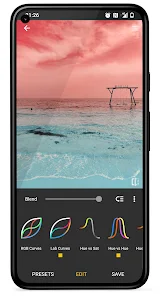
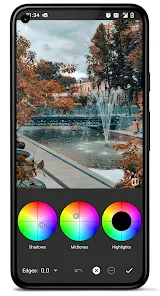
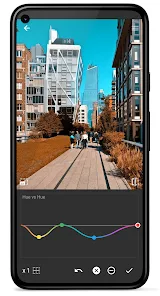
With this tool, users gain access to a variety of color adjustment features, including basic controls for adjusting brightness, contrast, and saturation, as well as advanced color wheels for shadows, midtones, and highlights. Users can edit RGB, CMYK, and Lab curves, providing precise control of color channels. The app also offers separate curves for hue, brightness, and saturation, making color correction much easier.
Special features include creating 3D LUT files, resizing images, and adjusting JPEG quality. The masking tool allows users to change the color in specific areas of an image, increasing editing flexibility.
Highlights of the Photo Curves APK
The Photo Curves APK offers a wide collection of editing tools, ranging from basic to advanced options. Users can experiment and turn their photo and video editing ideas into reality.
Essential Photo Editing Tools
With the essential tools in the Photo Curves App, users can precisely adjust brightness, contrast, and more. With these simple options, anyone can optimize their images and videos without much technical knowledge.
RGB and Lab Curves and Advanced Color Correction
A key feature of the Photo Curves MOD APK is its advanced curve system, which supports the CMYK and Lab color models in addition to RGB. It allows detailed control over each color channel, allowing for unique color effects. Very few image editing apps offer such a comprehensive color curve system.
Lots of Presets and Fast LUT Sharing
A large preset library allows users to quickly find and apply their favorite color styles. The app also allows for the quick creation and sharing of custom presets and LUTs, fostering a creative community where users can inspire each other.
Photo Curves APK Key Features
- Basic controls (brightness, contrast, shadows, highlights, saturation)
- Color wheel (shadows, midtones, highlights)
- RGB curve
- CMYK curve
- Lab curve
- Hue-Saturation curve
- Hue-Hue curve
- Hue-Lum curve (brightness)
- Luma-Saturation curve
- Luma-Hue curve
- Saturation-Saturation curve
- Masking tool
- Adjustment layers
Conclusion
If you enjoy exploring Android apps beyond the standard options, the Photo Curves APK gives you the freedom to try new features, access early updates, and use apps that may not be available in your region. Easy to download and install, they help you make the most of your device. Be sure to use trusted sources for the best experience. With APKs, you’ll always have something new to look forward to.






Share Your Thoughts